The Replay Plays
The visualizer had terrain, buildings, all sixty-five units rendered as sprites. What it didn’t have was any of it moving. Units sat at their spawn positions. The replay was technically running — tracker events advancing, buildings appearing on schedule — but watching it felt like looking at a photograph.
I wanted to see a real game play.
Getting the terrain
The first problem was the map itself. Replay mode showed a flat 64×64 grid regardless of the actual map. Torches AIE is 160×208 — a completely different shape — and without real terrain, unit positions are meaningless. You can’t tell whether a unit is on high ground, at a ramp, or walking into a wall.
SC2 map terrain lives inside .SC2Map files, which are MPQ archives. We already
had the scelight MPQ library on the classpath, so opening them was
straightforward. What wasn’t straightforward was knowing which file inside the
archive held the terrain and what format it used.
The file is called t3SyncCliffLevel. Its format: a four-byte CLIF magic
header, version, width, height — then width × height little-endian uint16
values packed row-major. The values encode cliff tiers as multiples of 64: 64
is the lowest walkable ground, 192 is the main base level, 320 is impassable
border cliff. Non-multiples — 72, 80, 88 — are ramps between tiers. None of
this is in any documentation. We worked it out from the raw bytes.
static Height toHeight(int cliff) {
    if (cliff == 0 || cliff >= 320) return Height.WALL;
    if (cliff % 64 != 0)           return Height.RAMP;
    if (cliff == 64)               return Height.LOW;
    return Height.HIGH;
}
AI Arena publishes their season maps as zip attachments. MapDownloader fetches
the right pack, SC2MapTerrainExtractor reads t3SyncCliffLevel, and the
visualizer gets a 160×208 terrain grid with real walls, ramps, and high ground.
Getting the movement
Tracker events record unit births and deaths with positions, but nothing in
between. To animate movement we needed the GAME_EVENTS — the raw player command
stream. CmdEvent gives a target position or target unit; SelectionDeltaEvent
tells you which unit tags received the command.
The tags in GAME_EVENTS are packed integers: tagIndex = rawTag >> 18,
tagRecycle = rawTag & 0x3FFFF. Tracker events expose the same values as
separate fields. Match them to "r-{index}-{recycle}" string format and the
orders find their units.
GameEventStream parses 22,653 commands from the Nothing replay.
UnitOrderTracker consumes them tick by tick and advances unit positions toward
their targets at unit-type speed — Probes at 3.94 tiles per second, Zealots at
3.15.
One side wasn’t moving
After all that, I started the replay and watched for a minute. The Protoss units moved. The Zerg didn’t.
The cause was straightforward once found. When an enemy unit is born, the
original code called spawnEnemyUnit() — which assigned an auto-generated tag
like "enemy-0". The GAME_EVENTS commands used the decoded tracker format
"r-108-1". The tags never matched, so no orders ever found a Zerg unit.
One line: pass the tracker-event tag directly to addEnemyUnit(). Both sides
move now.
The result
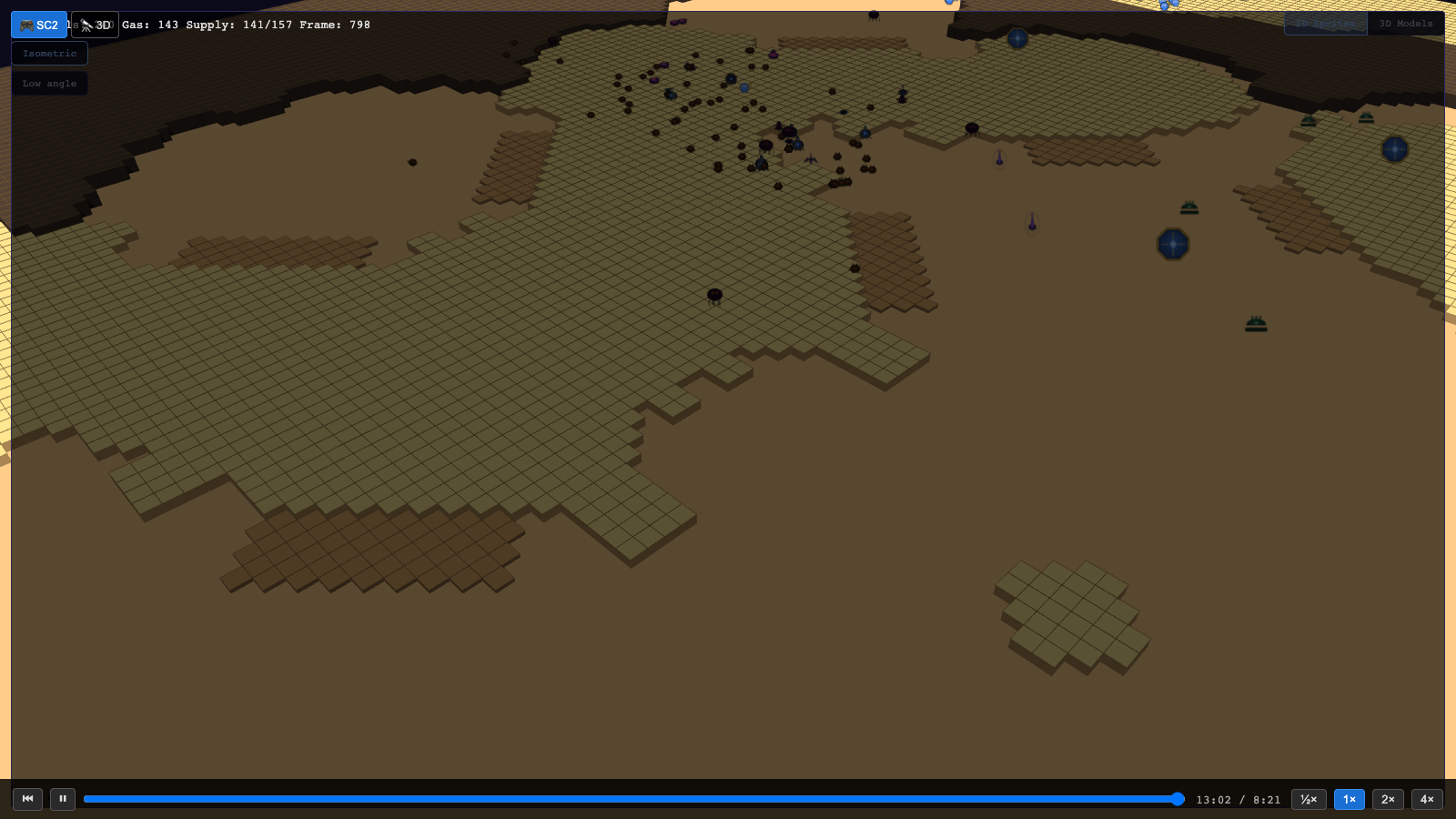
At 7 minutes in: 106 units, 141 supply, both armies manoeuvring across real Torches AIE terrain. The stepped high ground is visible, the cliff walls cut across the map the way they do in the actual game, and the replay scrub bar at the bottom lets you jump to any moment.
The Electron wrapper
Rather than opening a terminal every time, we wrapped it in an Electron app. It starts the Quarkus jar, shows a loading screen while the replay loads, then transitions to the visualizer automatically.
The jar has to be built with -Dquarkus.profile=replay at package time — not
just at runtime. Quarkus @IfBuildProfile annotations are resolved during
augmentation, not at JVM launch. Setting the profile at runtime changes config
but can’t add beans that were compiled out. Coming from Spring Boot where
profiles are entirely runtime, this is a real surprise. Startup dropped from
thirty seconds (quarkus:dev) to under five (java -jar).