Understanding the Pipeline
Every post in Sparge moves through the same pipeline. Understanding the pipeline helps you know what to do next for any post.
Pipeline stages
Ingest → Enrich → Scan → Generate MD → Validate → Stage → Publish
| Stage | What happens |
|---|---|
| Ingest | HTML fetched, cleaned, images localised, registered in state |
| Enrich | YouTube embeds replaced with thumbnails, Gist scripts inlined, code classes normalised |
| Scan | Enriched HTML checked for 17 issue types — missing images, external images, tracking pixels, layout artefacts, and more. |
| Generate MD | Enriched HTML converted to Markdown |
| Validate | Generated Markdown cross-validated against HTML — checks for missing images, garbling, fence breaks |
| Stage | Draft of edited Markdown saved alongside the published version for review |
| Publish | Final Markdown copied to your Jekyll publishing directory |
Note: Enrichment happens automatically the first time you scan a post. You don’t need to run it separately.
Reading pipeline state in the post list
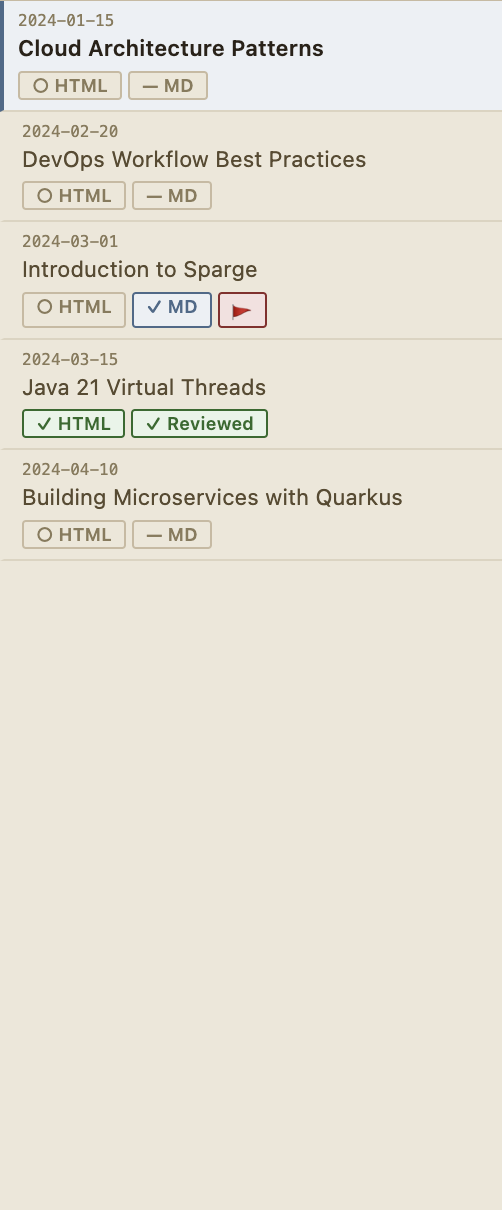 Each row shows the post’s current pipeline state. Badges indicate completed stages.
Each row in the post list shows:
- Whether the post has been scanned and how many HTML issues it has
- Whether Markdown has been generated and whether it’s stale
- Whether the post has been reviewed
A post is stale if the HTML has been modified after the Markdown was generated. Regenerate the Markdown to bring it back in sync.
Working through the pipeline
The typical workflow for each post:
- Scan the post to enrich it and check for HTML issues
- Fix any HTML issues that can’t be auto-corrected
- Generate MD to convert the cleaned HTML to Markdown
- Review the generated Markdown in the editor
- Edit if needed, then Stage your changes
- Accept the staged version to publish it
See Working With Posts for the step-by-step workflow.