Features & Capabilities
A complete reference of everything Sparge can do. If you’re wondering whether Sparge supports a particular feature, check here first.
Pipeline
| Feature | Description |
|---|---|
| Local ingest | Import HTML posts from a local directory on disk |
| Remote ingest | Discover and import posts from a live blog URL (Blogger, WordPress) |
| Platform detection | Automatically detects the blog platform from the URL |
| URL discovery | Lists all post URLs on a blog for you to select from |
| Enrichment | Replaces YouTube embeds with thumbnails, inlines Gist code, normalises code classes |
| HTML scanning | Detects 17 issue types in your HTML — see Checks & Validation |
| MD generation | Converts enriched HTML to clean Markdown |
| MD validation | Cross-validates generated Markdown against the HTML source |
| Staging | Save a draft of edited Markdown alongside the published version |
| Asset localisation | Downloads and localises remote images at ingest time |
| Wayback fallback | Uses the Wayback Machine for images that fail to download |
Editors
 The HTML editor: CodeMirror with syntax highlighting, issue highlights, and save/revert controls.
| Feature | Description |
|---|---|
| HTML editor | CodeMirror editor with full HTML syntax highlighting |
| Markdown editor | CodeMirror editor with Markdown syntax highlighting |
| Autosync scroll | HTML and Markdown editors scroll in sync as you move through a post |
| Drag divider | Drag the divider between HTML and MD panes to resize them |
| Issue highlights | Clicking an issue in the Issues Panel highlights the relevant element in the HTML editor |
| Dark/light theme | Toggle between dark and light theme — preference saved across sessions |
 The theme toggle switches between light and dark mode. Your preference is remembered between sessions.
Navigation & Search
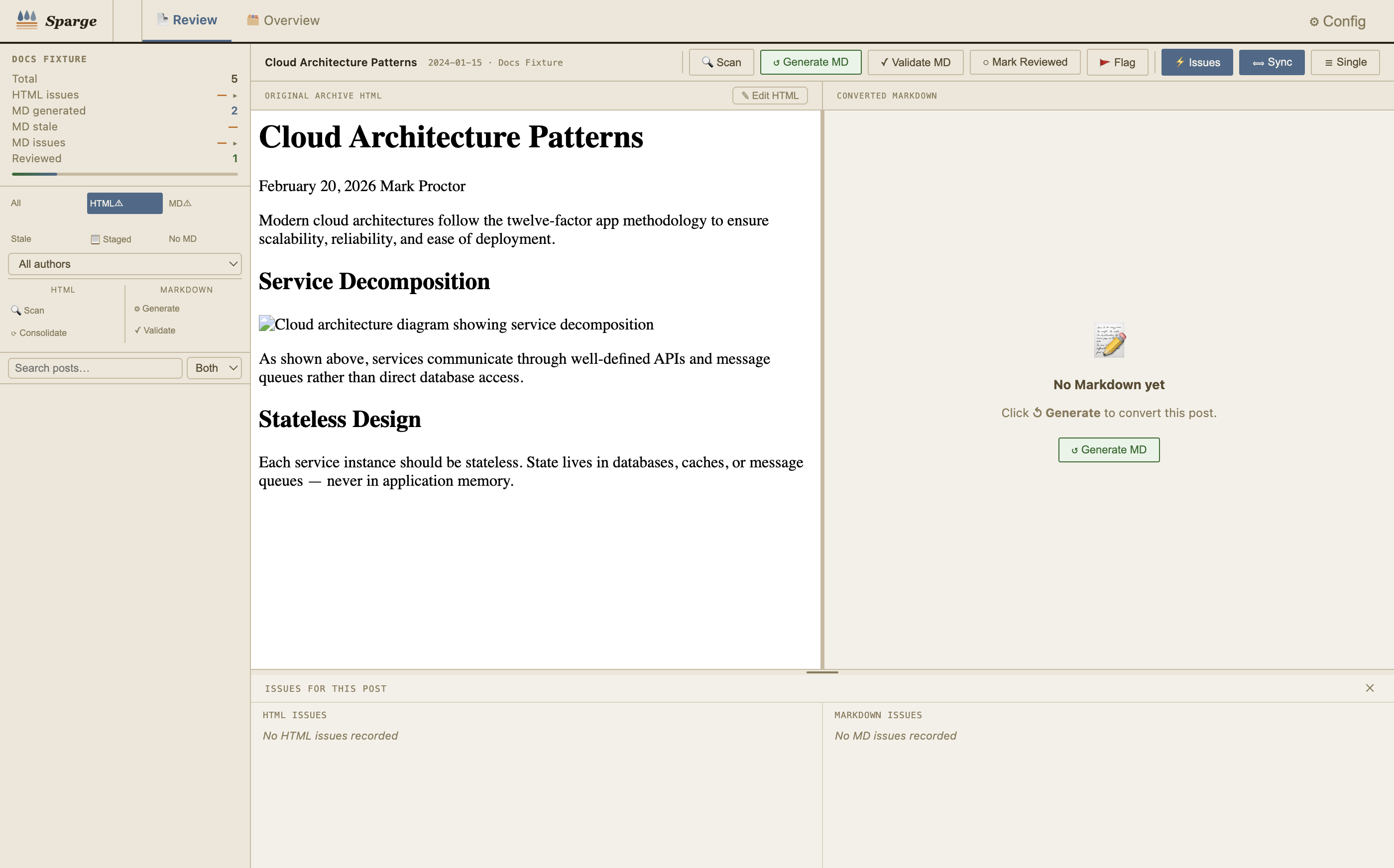 Search narrows the post list in real time. Switch between title-only and full-body search.
| Feature | Description |
|---|---|
| Search bar | Search post titles, body text, or both — server-side body search across all posts |
| Search scope | Switch between Title, Body, and Both search modes |
| Issue-type filter | Filter the post list to only show posts with a specific issue type |
| Author filter | Filter posts by author (for multi-author blogs) |
| Reviewed filter | Show only posts you’ve marked as reviewed |
| Combined filters | All filters can be used together simultaneously |
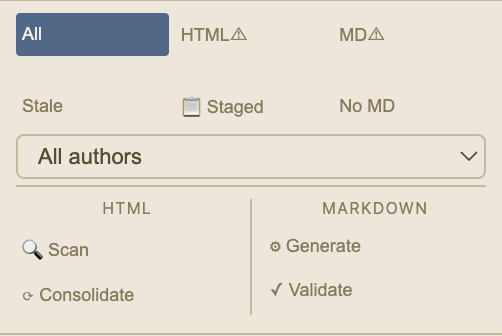 Switch search scope between Title, Body, and Both using the selector next to the search bar.
Post Management
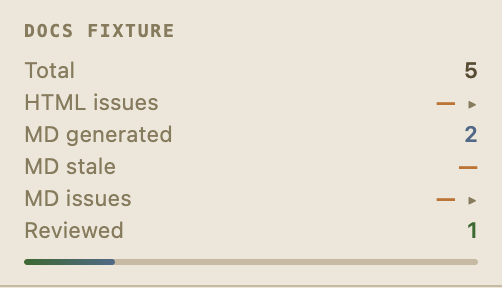 The sidebar shows per-project statistics and post counts at a glance.
| Feature | Description |
|---|---|
| Flag | Mark a post for follow-up attention — toggled from the action bar |
| Review checkbox | Mark a post as reviewed — toggled from the action bar |
| Pipeline actions | 🔍 Scan, ↺ Generate MD, 📋 Review Staged, ✓ Validate MD, ✓ Reviewed, 🚩 Flag |
| Sync scroll toggle | ⟺ Sync — toggles scroll synchronisation between HTML and MD panes |
| Layout toggle | ☰ Single — switches between split-pane and single-pane view |
| Refinement mode | ≡ HTML→MD and ✨ Accept Refined — visible when refinement is active |
| Bulk operations | 🔍 Scan All, ⚙ Generate All, ✓ Validate All, ⟳ Consolidate — operate on all posts in scope |
| Statistics sidebar | Per-project counts for HTML issues, MD generated, stale, MD issues, reviewed |
Project Management
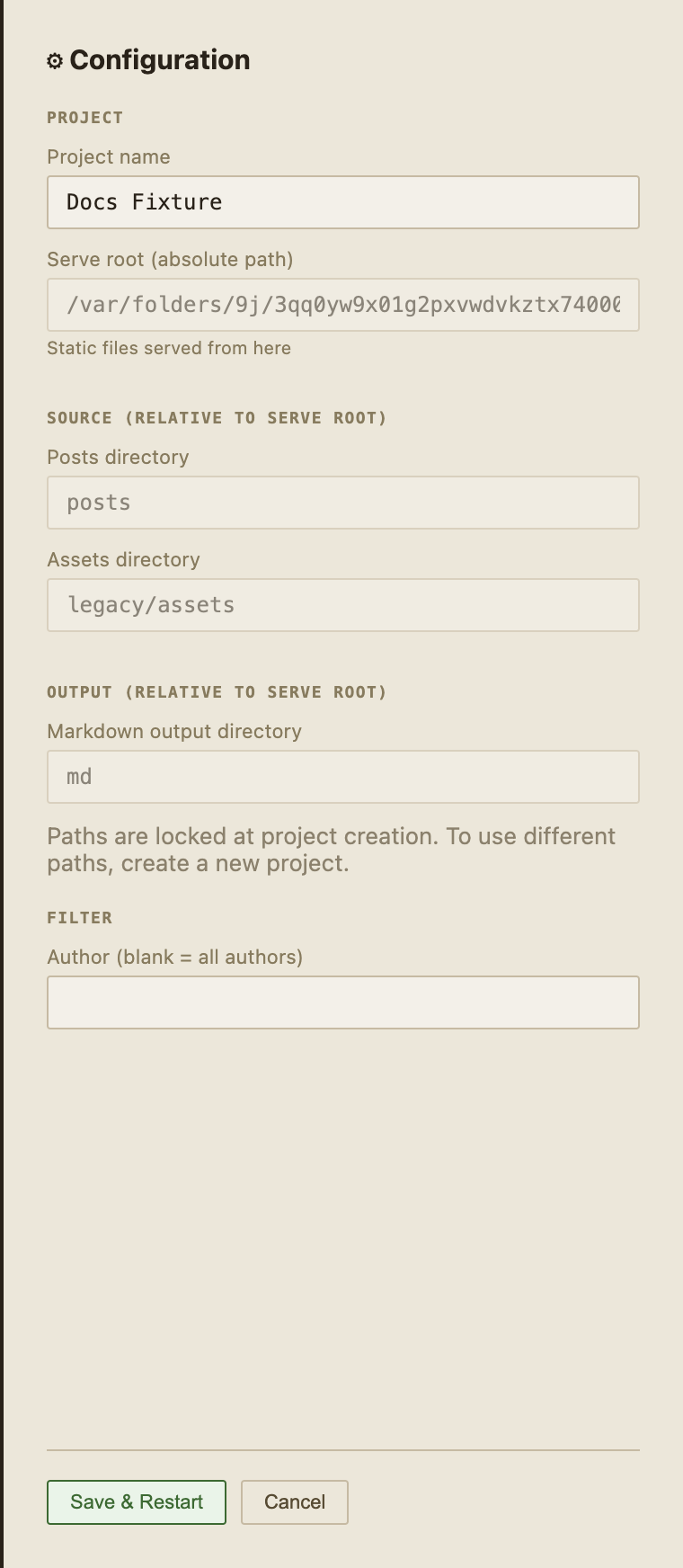 The config panel shows your project’s path configuration. Paths are set at creation time and locked thereafter.
| Feature | Description |
|---|---|
| Multiple projects | Create and switch between multiple blog migration projects |
| Native folder picker | Click 📁 to pick directories with the native OS folder picker |
| Path locking | Project paths are set once at creation and cannot be changed — protecting existing ingested content |
| Config panel | View your project’s path configuration at any time from the top-right button |
| Project delete | Remove a project from Sparge’s index (source files are not deleted) |
| Dark/light theme | Theme toggle available in the top bar |