Working With Posts
The post list is the heart of Sparge. From here you can see every post’s pipeline state, open a post for editing, and run pipeline actions.
The post list
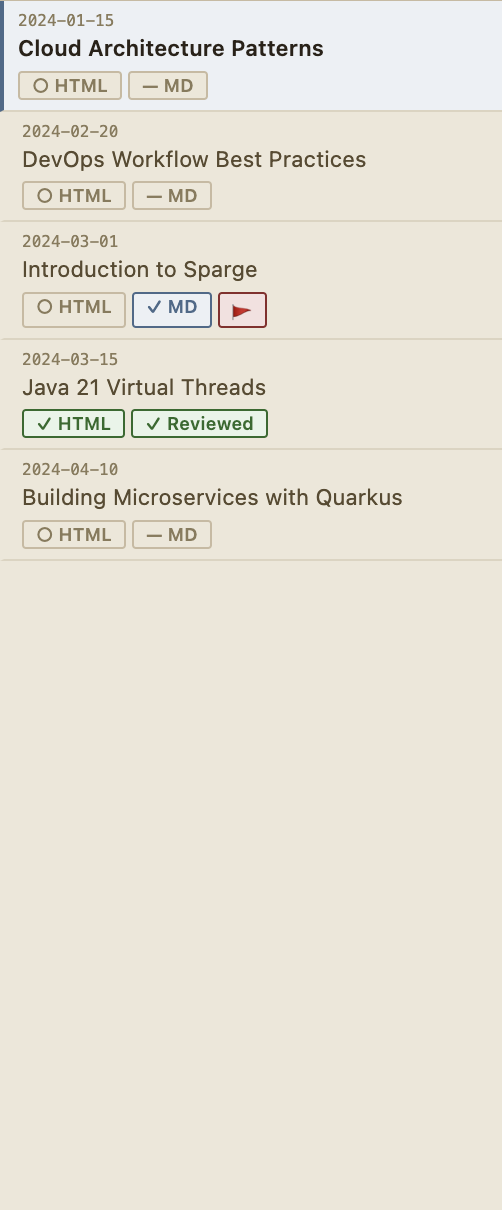 The post list shows every ingested post with its pipeline state at a glance.
Each row shows the post title, date, and status badges. Click any row to open the post in the split-pane editor. Use the search bar and filters at the top to narrow the list — see Filtering & Search.
The split-pane view
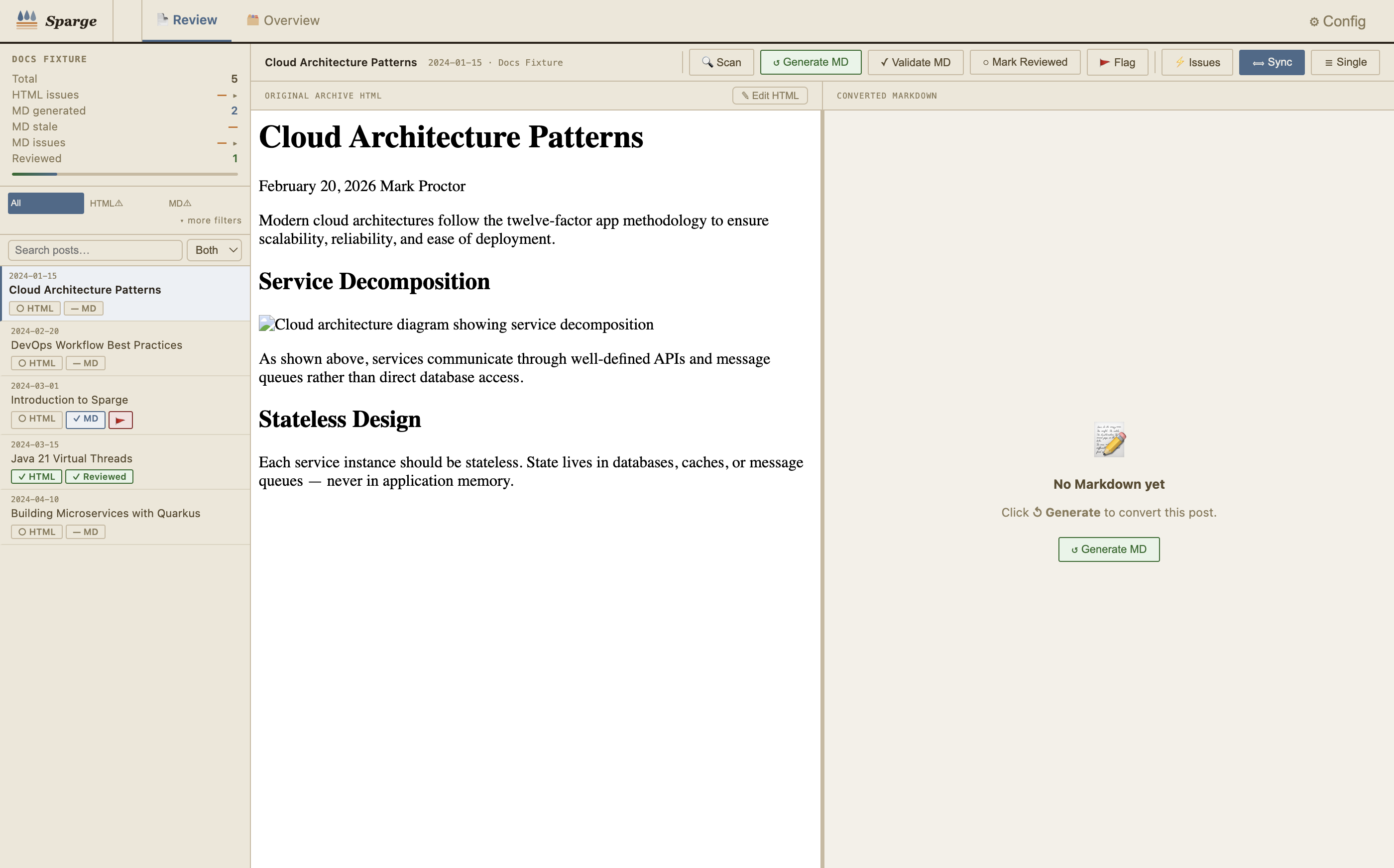 The split-pane editor: HTML on the left, Markdown on the right. Drag the divider to resize.
Clicking a post opens the split-pane editor. The left pane shows the HTML source; the right pane shows the generated Markdown. Both editors scroll in sync as you move through the content.
Drag the divider between panes to give more space to whichever side you’re working on.
Pipeline action buttons
 The action bar: pipeline stages on the left, editor controls on the right.
Pipeline stage buttons — run the next stage for the current post:
| Button | What it does |
|---|---|
| 🔍 Scan | Enriches the HTML (if not yet enriched) and checks for issues |
| ↺ Generate MD | Converts the enriched HTML to Markdown |
| 📋 Review Staged | Opens a diff view of your staged edits against the current version — only visible when a staged version exists |
| ✓ Validate MD | Runs Markdown validation checks (missing images, fence breaks, garbling) |
| ✓ Reviewed | Marks the post as reviewed — toggled on/off |
| 🚩 Flag | Flags the post for follow-up attention — toggled on/off |
Editor control buttons — on the right side of the action bar:
| Button | What it does |
|---|---|
| ⟺ Sync | Toggles scroll synchronisation between the HTML and Markdown panes — active by default |
| ☰ Single | Toggles between split-pane (HTML + MD side by side) and single-pane view |
| ≡ HTML→MD | Switches between the standard HTML→MD view and the MD→Refined view — only visible when refinement mode is active |
| ✨ Accept Refined | Applies pending refinements and writes them to disk — only visible in refinement mode |
Post metadata
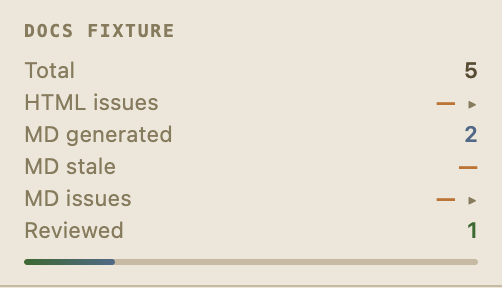 The sidebar shows per-project statistics and post counts at a glance.
The sidebar statistics panel shows:
- Total — number of posts in the current project
- HTML issues — posts with outstanding HTML scan issues (click to expand by type)
- MD generated — posts that have had Markdown generated
- MD stale — posts whose Markdown is older than the source HTML
- MD issues — posts with Markdown validation problems (click to expand by type)
- Reviewed — posts marked as reviewed
- Progress bar — proportion of posts that are reviewed
Bulk operations
The filter zone below the statistics panel contains scope-level bulk actions that operate on all posts matching the current filter.
| Button | What it does |
|---|---|
| 🔍 Scan | Scans HTML for all posts in the current scope |
| ⚙ Generate | Generates Markdown for all posts in scope — prompts when Markdown already exists |
| ✓ Validate | Validates Markdown for all posts in scope that have Markdown |
| ⟳ Consolidate | De-duplicates shared assets across all posts in the project |
Note: Bulk operations respect the active filter — use the filter buttons to narrow the scope before running a bulk action.